





ThumbFlow Mobile Logo ThumbFlow Mobile Contact Us
Contact Us
Modern smartphone interface design workspace with mobile devices and design tools on professional desk

Mobile-First Design for Philippine Users

Building fast, thumb-friendly interfaces optimized for Android devices and variable mobile networks

Design Essentials for Mobile-Dominant Users

Key principles for creating interfaces that work on affordable Android devices with limited bandwidth

Thumb-Friendly Navigation

Place interactive elements within easy reach. Bottom navigation, floating action buttons positioned for one-handed use during commutes and daily activities.

Fast-Loading Performance

Optimized images, minimal file sizes, and efficient code. Pages load quickly on 3G networks and variable data speeds common in the Philippines.

Scannable Content Structure

Short sections, bold headings, clear visual breaks. Busy commuters should find what they need in seconds without endless scrolling.

Android Device Optimization

Designed for budget-friendly Android phones popular in the Philippines. Works smoothly with limited RAM and processing power without sacrificing functionality.

Why Mobile-First Design Matters Here

The Philippines is mobile-first by necessity. Most users access the internet exclusively through smartphones, often on shared networks with variable speeds. Traditional web design doesn’t work for this reality.

We’re focused on creating interfaces that respect the constraints of the environment while delivering real value. It’s not about cutting corners — it’s about smart design that works for real people in real conditions.

Performance First

Every decision is weighed against loading time and data usage

User-Centered

Designed around how people actually use phones during commutes

Practical

Solutions that work on budget Android devices without compromise

How Mobile-First Design Works

A systematic approach to creating interfaces for smartphone-dominant users

1

Understand Constraints

Analyze device capabilities, network speeds, and user behavior patterns specific to your audience

2

Optimize Content

Reduce file sizes, structure information in scannable chunks, prioritize essential features

3

Design Navigation

Place controls where thumbs naturally reach, minimize scrolling, reduce tap targets

4

Test & Iterate

Validate on actual devices, test on real networks, gather user feedback and improve

Ready to Design for Mobile-First Users?

Let’s create interfaces that work for everyone, everywhere

Start Your Project

Trusted by 200+ projects across Southeast Asia

Core Design Principles

These principles guide every decision in mobile-first design

Respect User Context

People are using phones while moving, working, or commuting. Design for distraction and interruption, not sustained focus. Make every interaction quick and purposeful.

Minimize Data Usage

Every kilobyte matters. Optimize images aggressively, avoid auto-playing video, use efficient code. Users with limited data plans appreciate pages that load fast and don’t drain their balance.

Design for Thumbs

The thumb is the primary input method on phones. Keep navigation controls in the bottom half of the screen, use large tap targets (minimum 4444px), and avoid precision-requiring gestures.

Embrace Constraints

Limited screen space, processing power, and bandwidth aren’t problems to solve — they’re features that force smarter design. Constraints breed clarity. Work within them, not against them.

Meet the Design Team

Experienced professionals focused on mobile-first design for emerging markets

Mobile design specialist, professional portrait from chest up, confident expression, modern office setting, natural lighting

Design Lead

UX researcher focused on mobile behavior, professional headshot with friendly expression, bright office environment

UX Researcher

Frontend developer specializing in performance optimization, portrait shot from chest up in professional setting

Performance Engineer

Featured Resources

Practical guides and techniques for mobile-first design in the Philippines

Designer working on mobile interface mockup at desk with stylus and tablet device

Designing Thumb-Friendly Navigation Zones

Learn where to place buttons and controls so users can comfortably reach them with one hand during daily commutes. We’ll cover safe zones, tap target sizes, and practical layout patterns that work.

Read Article
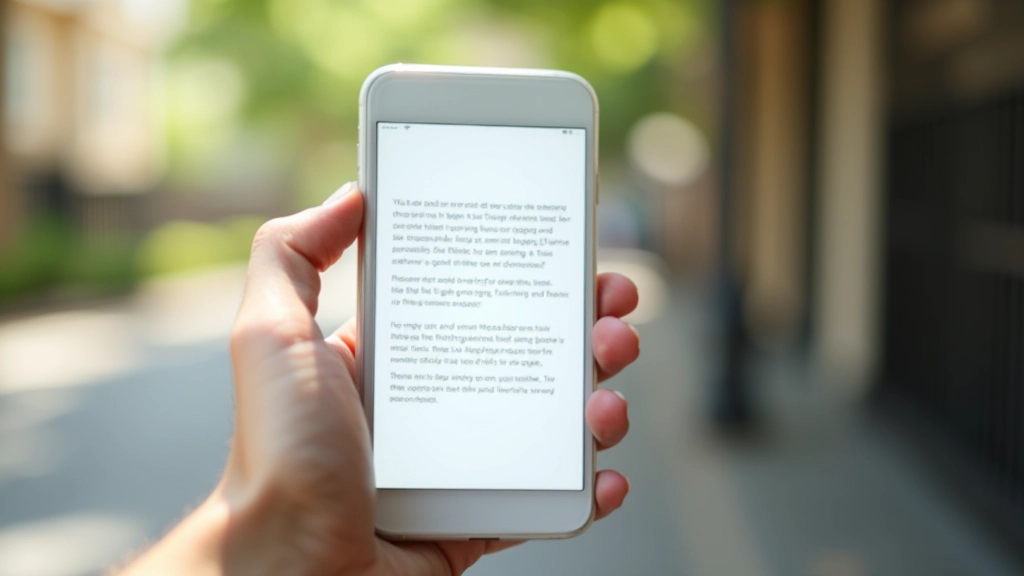
Comparison of fast-loading webpage on smartphone screen with minimal graphics and optimized layout

Fast-Loading Layouts for Slow Networks

Practical techniques for building pages that load quickly on 3G and variable mobile data. Includes image optimization strategies and code patterns.

Read Article
Affordable Android phone displaying well-organized content in scannable sections with clear headings

Scannable Content for On-the-Go Reading

Structure information so busy commuters can quickly find what they need. Short sections, bold headings, and visual breaks matter.

Read Article

What People Say

Real feedback from designers and developers using these principles

“We weren’t sure how to approach design for budget Android devices until we started thinking about it as a constraint rather than a limitation. Now we’re seeing 40% faster load times and users are actually staying on the site longer. It’s made a real difference for our audience in Manila.”

Maria Santos

Product Designer, E-commerce Platform

Common Questions

Everything you need to know about mobile-first design for Philippine users

Why is mobile-first design different in the Philippines?

The Philippines has unique constraints: most users access the internet exclusively through mobile phones, networks are often 3G or variable, and popular devices are budget-friendly Android phones with limited RAM. Designing for these realities requires different priorities than Western-market web design.

What’s the difference between mobile-responsive and mobile-first?

Mobile-responsive means your desktop site adapts to mobile screens. Mobile-first means you design for mobile constraints from the start, then enhance for larger screens. Mobile-first is fundamentally different — you’re optimizing for limited bandwidth, processing power, and screen space as your baseline.

How much should I optimize image file sizes?

Aggressively. A typical hero image should be under 100KB. Use modern formats like WebP, compress ruthlessly, and consider serving different image sizes based on device capabilities. We’re not being extreme — we’re being practical for users with data limits.

Does mobile-first design work for international audiences too?

Absolutely. While we focus on Philippine users, these principles apply to any smartphone-dominant market: India, Indonesia, Nigeria, and many others. If most of your users access via mobile on variable networks, mobile-first design is essential.